
How to change your website PHP version on Gbefunwa
If you are wondering why you may need to switch to a different PHP version on your WordPress website, what PHP is, and its relationship with WordPress, read this guide.
To change your PHP version on Gbefunwa:
- Log into your Gbefunwa dashboard
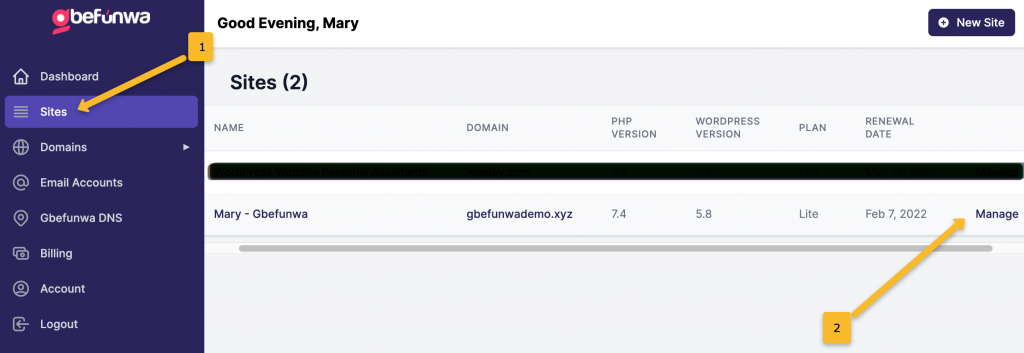
- Click on “Sites”
- Click on “Manage” in front of the Website you would like to change its PHP version
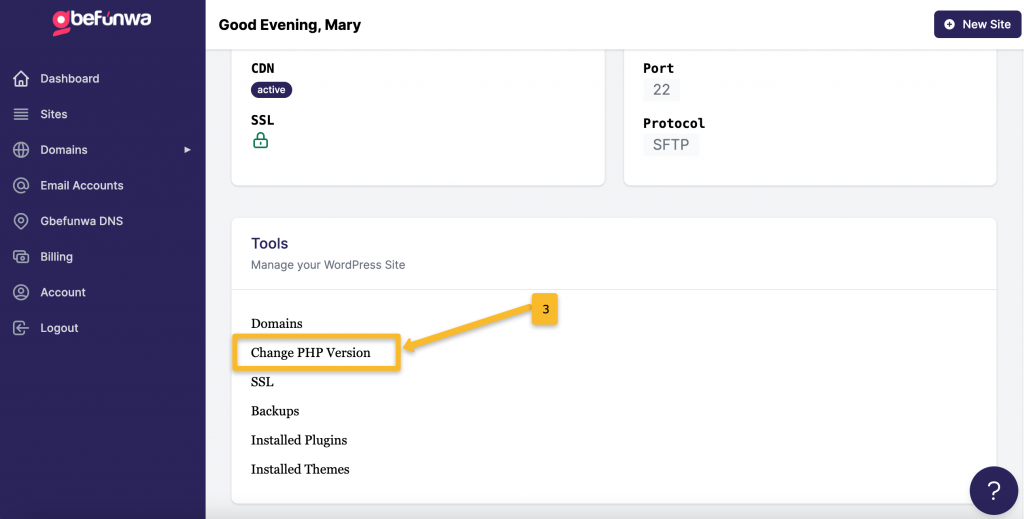
- Scroll down and look for the “Change PHP Version” link
- Choose your preferred PHP version
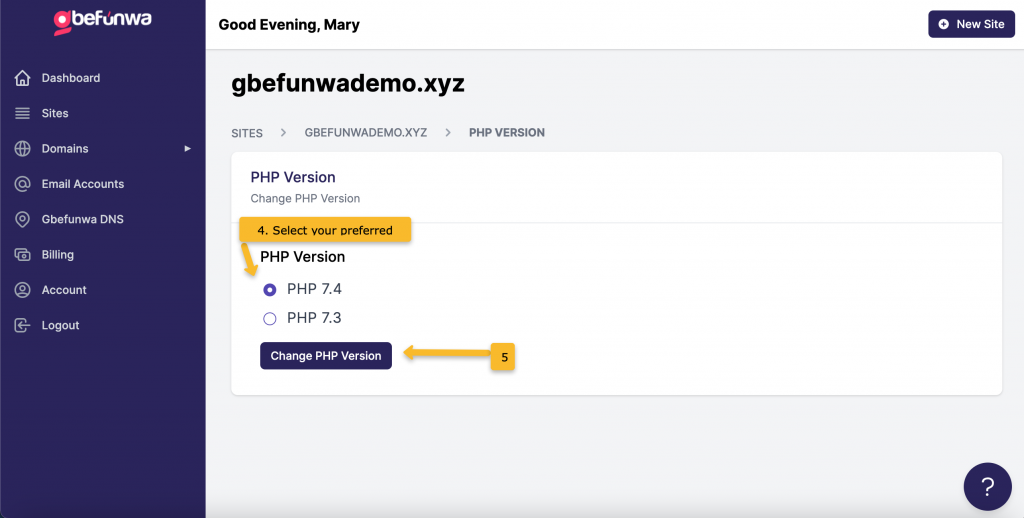
- Click on “Update PHP Version” to save your changes.
That is all. Got Questions? Contact us right away!